

















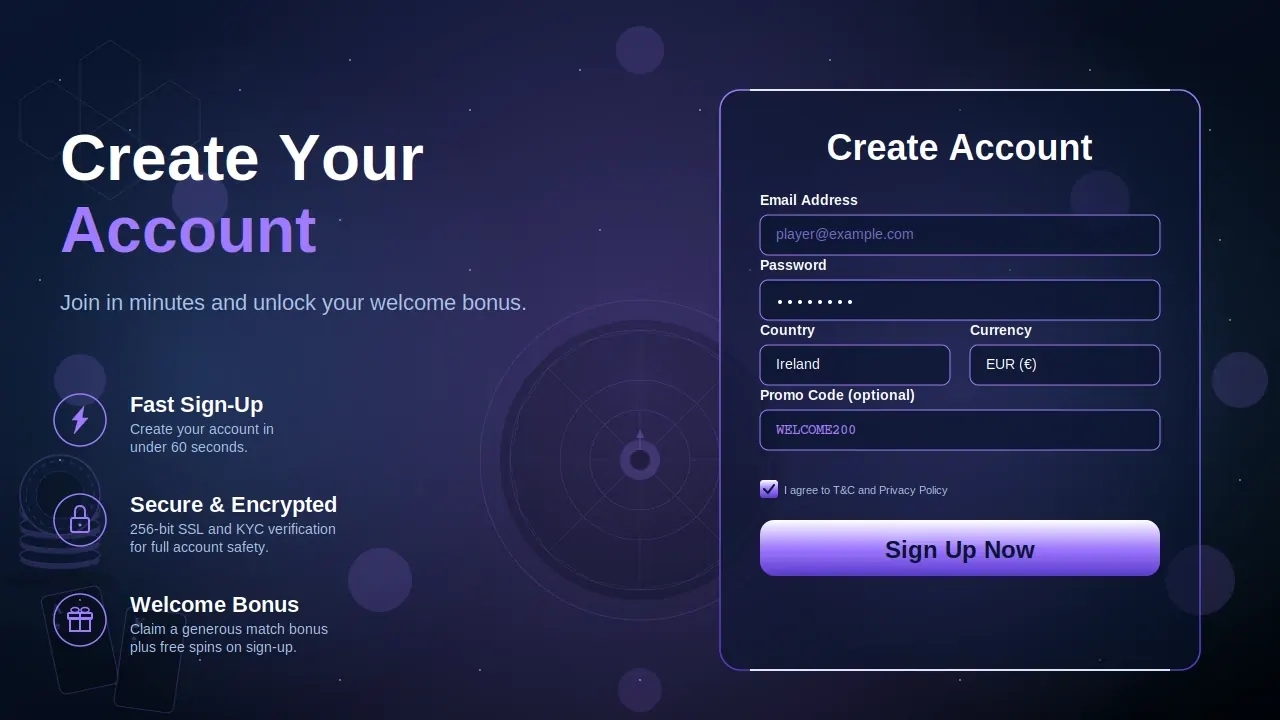
LTC Casino Registration
Games at LTC Casino
Browse popular slots, casino titles, live games, crash games, and table games in one place.
Immortal Romance
Microgaming
Bonanza Megapays
Big Time Gaming
Mega Moolah
Microgaming
Rainbow Riches
Barcrest
Thunderstruck II
Microgaming
UK Roulette Live
Playtech
Mega Fire Blaze Blackjack
Playtech

Quantum Roulette
Playtech
Grand Blackjack
Playtech
Super Sic Bo Live
Evolution
Yahtzee
Instant Tap
Keno
Not specified
Lightning Roulette
Evolution
Crazy Time
Evolution
Monopoly Live
Evolution
Infinite Blackjack
Evolution

Baccarat Live
Evolution
First Person Dream Catcher
Evolution Gaming

Mega Wheel
Pragmatic Play
Deal or No Deal Live
Evolution
Casino Hold'em Live
Evolution

Power Up Roulette
Pragmatic Play
Sweet Bonanza Candyland Live
Pragmatic Play

Three Card Poker Live
Evolution
Play Free Demo Games
Try selected demo slots without registration. Launch a free game preview in a separate overlay without leaving the page.
Gates of Olympus Super Scatter
Big Bass Splash Slot
Jelly Express
LTC Registration Table of Contents
How to Register at LTC
Getting started with LTC Casino is straightforward. This section offers clear, step-by-step guidance to help new users sign up quickly and easily. Follow the instructions below to set up your account and make the most of everything our platform provides.
Desktop Registration Process
Follow these straightforward steps to sign up with LTC Casino on your desktop and begin your gaming experience.
- Visit the Website: Open your web browser and head to the LTC Casino homepage.
- Click ‘Register’: Locate and select the registration button in the top-right corner of the site.
- Fill in Your Details: Enter your name, email address, date of birth, and set a secure password.
- Choose Your Currency and Preferences: Pick your preferred currency and adjust any other account settings as needed.
- Agree to Terms: Carefully read and accept the terms and conditions.
- Click ‘Submit’: Finalise your registration by clicking the ‘Submit’ button.
Sign Up Process for Mobile Devices
Signing up through the LTC Casino app is just as straightforward as on desktop. Simply follow these steps to set up your account and start exploring our games wherever you are:
- Open the Mobile Site or App: Launch the LTC Casino website or app on your mobile device.
- Tap ‘Sign Up’: Select the registration button found at the top of the page or within the app’s menu.
- Enter Your Details: Fill in your details, such as your name, email address, and a secure password.
- Select Your Preferences: Choose your preferred currency and any other account settings to suit your preferences.
- Agree to the Terms: Read and accept the terms and conditions to continue.
- Complete Registration: Tap the final button to submit your registration and set up your account.
LTC Post-Registration Setup
Once you've finished registering, you can move on to setting up your account. This section will walk you through the following steps to help you complete your profile and tailor it for the best possible experience on LTC Casino.
How to Complete Your Profile After Registration
Now that your account is set up, it’s a good idea to provide any missing information to complete your profile.
- Check Your Details: Make sure your email, address, and other information are all accurate.
- Add a Profile Picture (Optional): You have the option to upload a profile photo to personalise your account.
- Save Your Changes: Once you’ve reviewed your details, remember to save any updates.
Setting Preferences and Notifications
Customise your account to better suit your preferences by adjusting your settings and notification options.
- Choose Your Language: Pick the language you’re most comfortable with for straightforward browsing.
- Set Notification Preferences: Decide which notifications you’d like to receive, such as offers, account news, and promotions.
- Update Communication Preferences: Select how you’d prefer to get updates — whether by email, SMS, or push notifications.
Customizing Your Account for Optimal Experience
Customise your account settings to get the most out of your experience on LTC Casino.
- Adjust Account Settings: Tailor your display preferences, including theme and layout options, to suit your style.
- Set Deposit Limits: If you’d like to manage your budget, set deposit limits or make use of responsible gambling tools.
- Connect Payment Methods: Link your preferred payment methods for quick and secure transactions.
LTC Account Verification Process (KYC)
To help protect UK players and maintain a secure environment, LTC casino asks all users to complete a KYC (Know Your Customer) verification process. This section outlines the steps for verifying your account and explains why this process is an important aspect of your experience on the site.
Step-by-Step Account Verification
Here's a step-by-step guide to help you complete the account verification process:
- Access Your Profile: Log in to your account and head to the "Account Settings" or "Verification" section.
- Provide Required Documents: Make sure you have the necessary documents ready for identity checks, such as a government-issued ID (passport, driving licence, or national ID card) and proof of address (like a utility bill or bank statement from the past 3 months).
- Upload Documents: Upload clear and readable copies of your documents through the verification page.
- Wait for Approval: Once you've submitted your documents, the team will review them. This process may take up to 48 hours.
Document Submission Process
Providing your documents is a simple process, but please ensure they meet the following requirements:
- Clear Images: All documents must be easy to read. If they are blurry or unclear, they will be declined and you'll need to upload them again.
- Name Consistency: The details on your documents should match the information you gave when registering.
- Valid Documents: Make sure your documents are up to date and not expired.
How to Verify Your Identity Quickly
To help speed up the KYC process, here are a few tips for quick and efficient verification:
- Double-Check Your Documents: Ensure all details are correct and that your documents are still valid.
- Take Photos in Good Lighting: Use a well-lit area to capture clear photos of your documents, so there are no issues with image quality.
- Provide Complete Information: Fill in all required details accurately on the verification form to help prevent any delays.
LTC Troubleshooting Registration Issues
If you're experiencing any issues signing up at LTC casino, don't worry — you're not alone. This section outlines some of the most common registration problems and provides straightforward solutions to help you complete your account setup without hassle. Refer to the table below for frequent issues and tips on how to address them.
| Issue | Solution |
|---|---|
| Invalid Email Address | Double-check the email spelling and format ([email protected]). |
| Password Doesn't Meet Requirements | Use 8+ characters with upper/lowercase, numbers, and a symbol. |
| Username Already Taken | Try a different name or a small variation; usernames must be one-of-a-kind. |
| Document Verification Failed | Upload clear, valid documents and resubmit as described in the KYC section. |
| Geographical Restrictions | Check if your country is allowed for registration on LTC Casino. |
| Browser Compatibility Issues | Switch browser, or clear cache/cookies and reload the page. |
| Mobile Registration Problems | Update your OS, check connection, and try Wi-Fi vs mobile data. |
Registration FAQs
Here are some frequently asked questions to guide you through registering at LTC casino. If you don't see the answer you need, you're welcome to get in touch with our support team.